Perpetual Fallback Licenses: Keep a Version, Renew Updates
Separate perpetual access, maintenance and offline expiry, then define which version a customer keeps and what a renewal adds.
Originally published on the PermitCore blog.
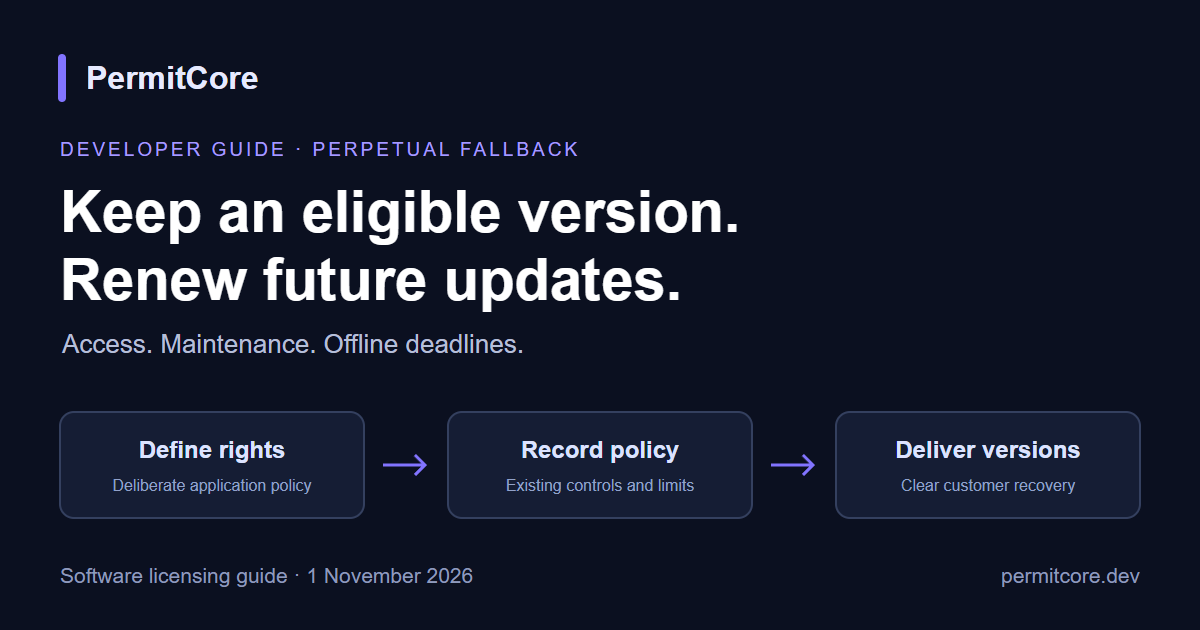
A perpetual fallback license lets a customer keep using an eligible version of your software after the paid update period ends. It separates two promises that are easy to blur: "this version keeps working" and "you get future upgrades". The useful version of that promise is specific: which version, which features, and how the buyer can reinstall it.
Separate the three deadlines
Three dates tend to get mixed up, and each one has a different job:
- License access expiry decides whether the license can authorize use at all.
- Maintenance expiry is the update and support period you sell.
- Signed offline expiry bounds one particular proof the app uses while disconnected.
A perpetual license can leave ExpiresAt empty and carry a MaintenanceExpiresAt date instead. The license keeps authorizing the eligible build, while the maintenance date tells your app or update service who is entitled to newer releases. Publish the update and support terms next to the price so buyers know what each date means.
Use the fields PermitCore returns
The license validation response includes the maintenance date, so your app (or your update service) can compare it with the release date of a build and decide whether that build is covered. Optional minimum and maximum version limits give you a second control: they restrict which dotted-numeric application versions a license is allowed to run. Keep a release catalog with the publish date of every build and compare versions numerically, not as text, so 10.2 sorts after 9.8. The maintenance reference lists the fields.
Define the eligible version precisely
Pick one rule and state it clearly:
- Every release published while maintenance was active, or
- A named major version (for example "all 4.x releases"), or
- Another rule that fits how you ship.
Record the release dates and identifiers you need to apply the rule. When maintenance ends, keep the eligible installer available through your own download page and explain how to reinstall it, including any runtime the build needs. If a customer has already launched a newer build, offer a clear downgrade or renewal path and keep their data safe. A quick test that an older build opens files saved by a newer one makes the promise easy to keep.
Keep the update decision separate from the run decision
An otherwise valid perpetual entitlement can let the eligible installed version run while a new paid feature upgrade stays locked. Revoked, wrong-product and over-capacity states keep their normal meaning, so a maintenance notice never overrides them.
For offline update checks, rely on signed data your app can verify with a trusted public key rather than a date stored in an editable file. Configure the trusted keys and deliberate proof lifetimes, then plan what happens on reconnect. Your exit plan should include the release and signing strategy so customers can always reach their eligible build.
Selling it through the Store
A recurring Store license follows its paid-through, grace and cancellation rules. If you want a fallback promise, design it as its own entitlement: decide when it is earned, how the maintenance period is recorded, how renewals extend it, and how refunds or fraud affect it. Then check the license that is actually issued instead of trusting a pricing label. Billing stays with the provider you chose (Stripe, Paddle or Lemon Squeezy); the payment lifecycle guide covers how licenses follow payments.
Test the promise at the cutoff
- The eligible version runs under a valid perpetual license after maintenance ends.
- A later paid release is offered, held back or downgraded according to your published policy.
- Wrong-product, revoked and capacity states are still enforced.
- Offline proof expiry, reconnect and trust updates behave the way you intended.
- A clean install can fetch and run the eligible build with its dependencies.
- Renewal, refund, cancellation and recovery never rewrite the rights you promised.
Describe the tested experience to your buyers in plain words. A fallback license works best when the customer can see, before paying, exactly what they keep and what a renewal adds.
Keep reading
- Full guide: Perpetual Fallback License
- License controls reference
- Perpetual vs subscription licenses
- Try PermitCore free: permitcore.dev
About the author
- Software licensing with a built-in branded Store. https://permitcore.dev
Comments
Join the discussionNo comments yet. Be the first to comment.